- Home
- Ecosystem
- NFT Launchpad
NFT Launchpad
ARKHIVE NFT Launchpad
Where creators and brands create their assets. Choose what to offer, follow a guided form, add your documents, and ARKHIVE reviews it before it goes live.
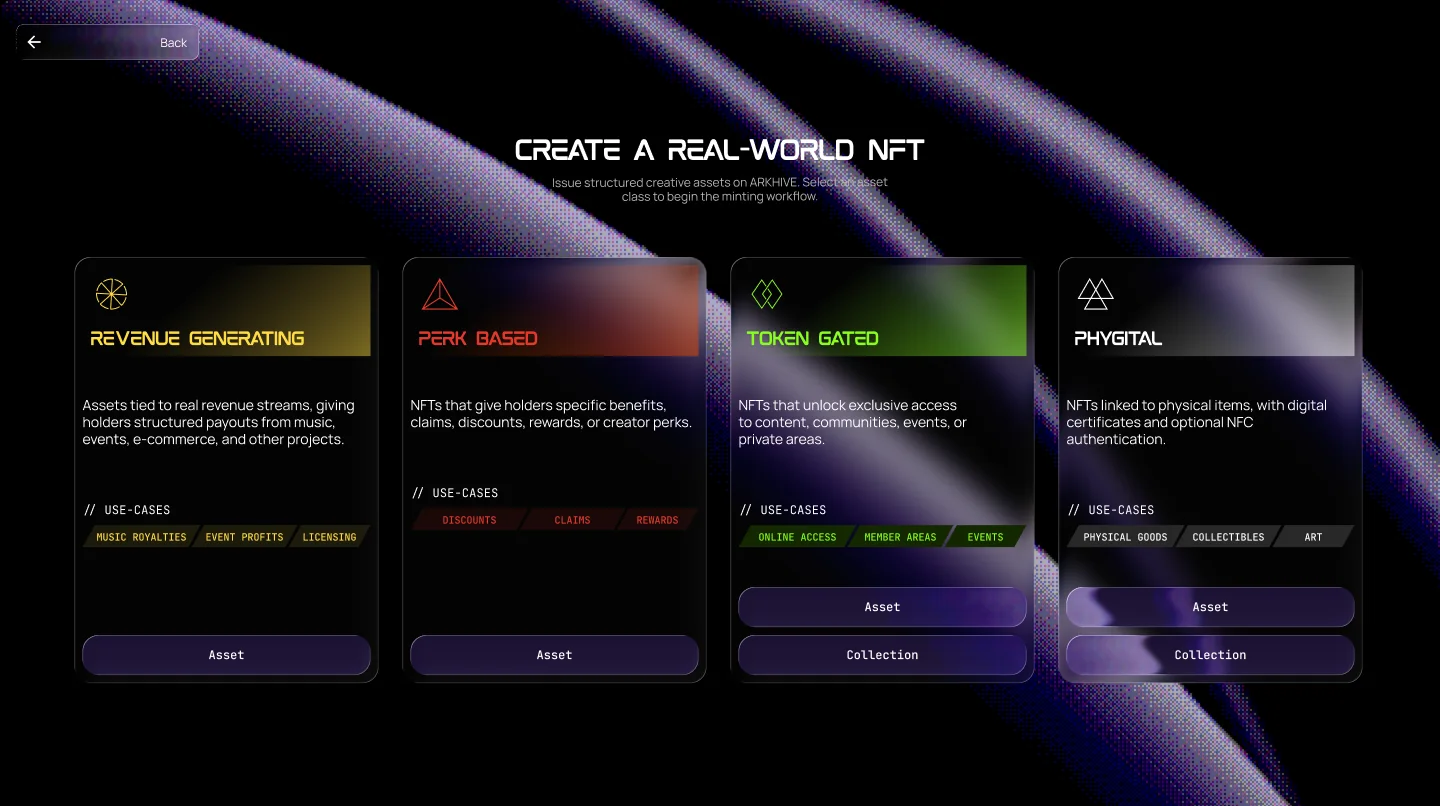
Four asset classes
Pick what you want to offer
Every launch uses the same building blocks: a Deal Room for documents, a review by ARKHIVE, an EchoChain score and a listing on the marketplace.
Revenue Generating
Assets tied to real revenue streams, giving holders structured payouts from music, events, e-commerce and other projects.
// Use cases
Example: 5% of a café’s monthly sales, set out in a signed agreement (RDA).
Perk Based
NFTs that give holders specific benefits, claims, discounts, rewards or creator perks.
// Use cases
Example: 20% off a fashion brand’s store.
Token Gated
NFTs that unlock exclusive access to content, communities, events or private areas.
// Use cases
Example: a season pass to a gallery’s openings.
Phygital
NFTs linked to physical items, with digital certificates and optional NFC authentication.
// Use cases
Example: a sculpture with an ARK Shard.
Inside the Launchpad
A revenue asset, step by step
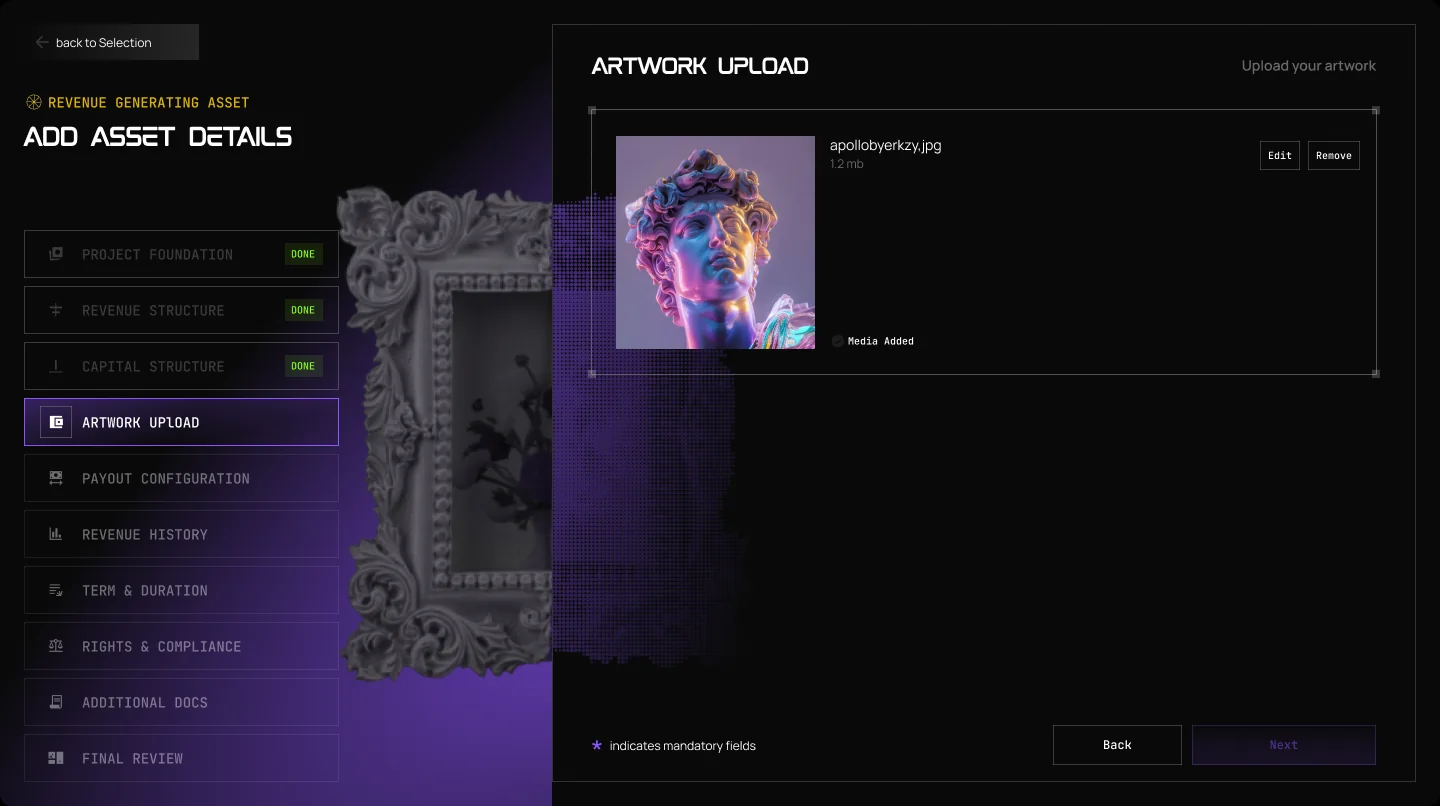
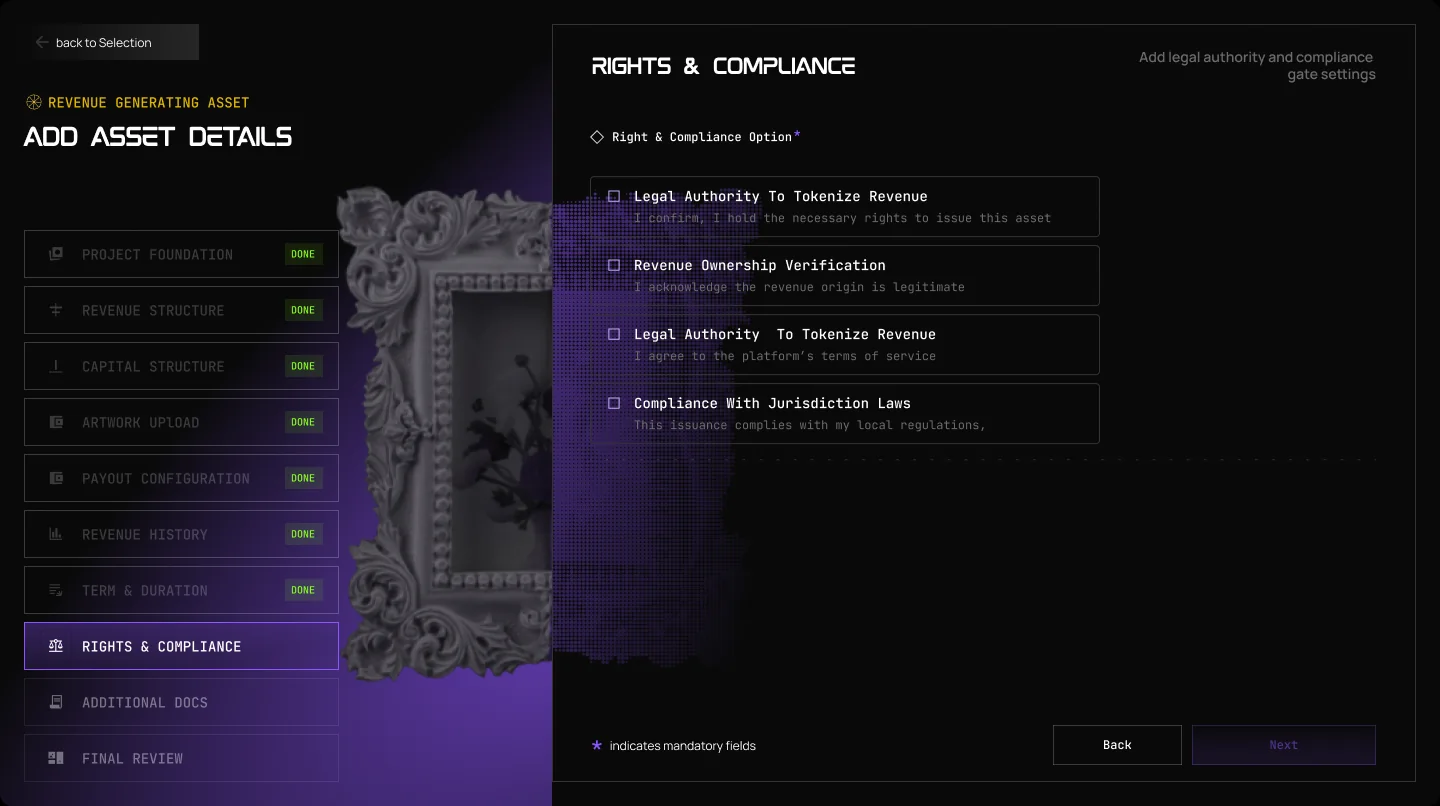
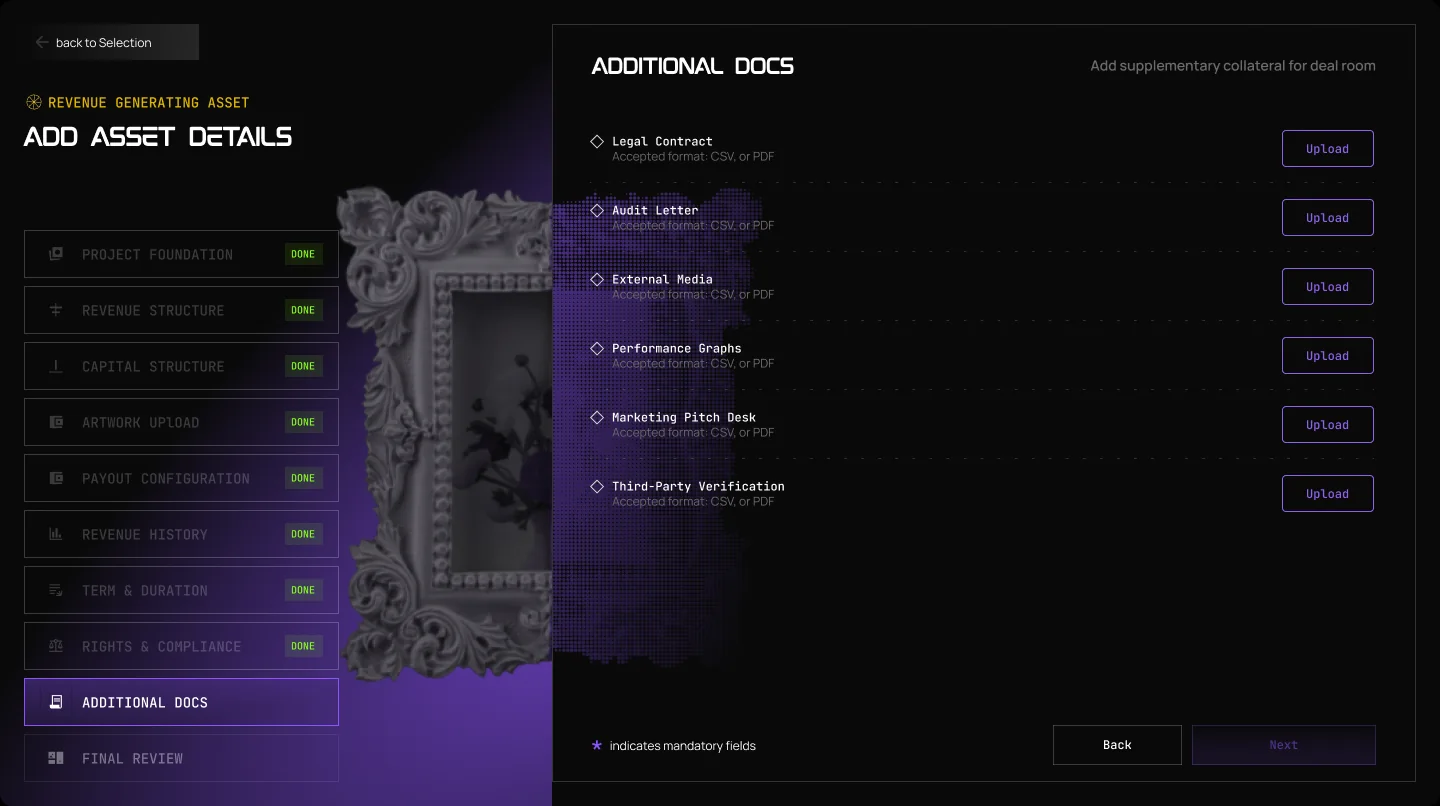
Step 01 of 10
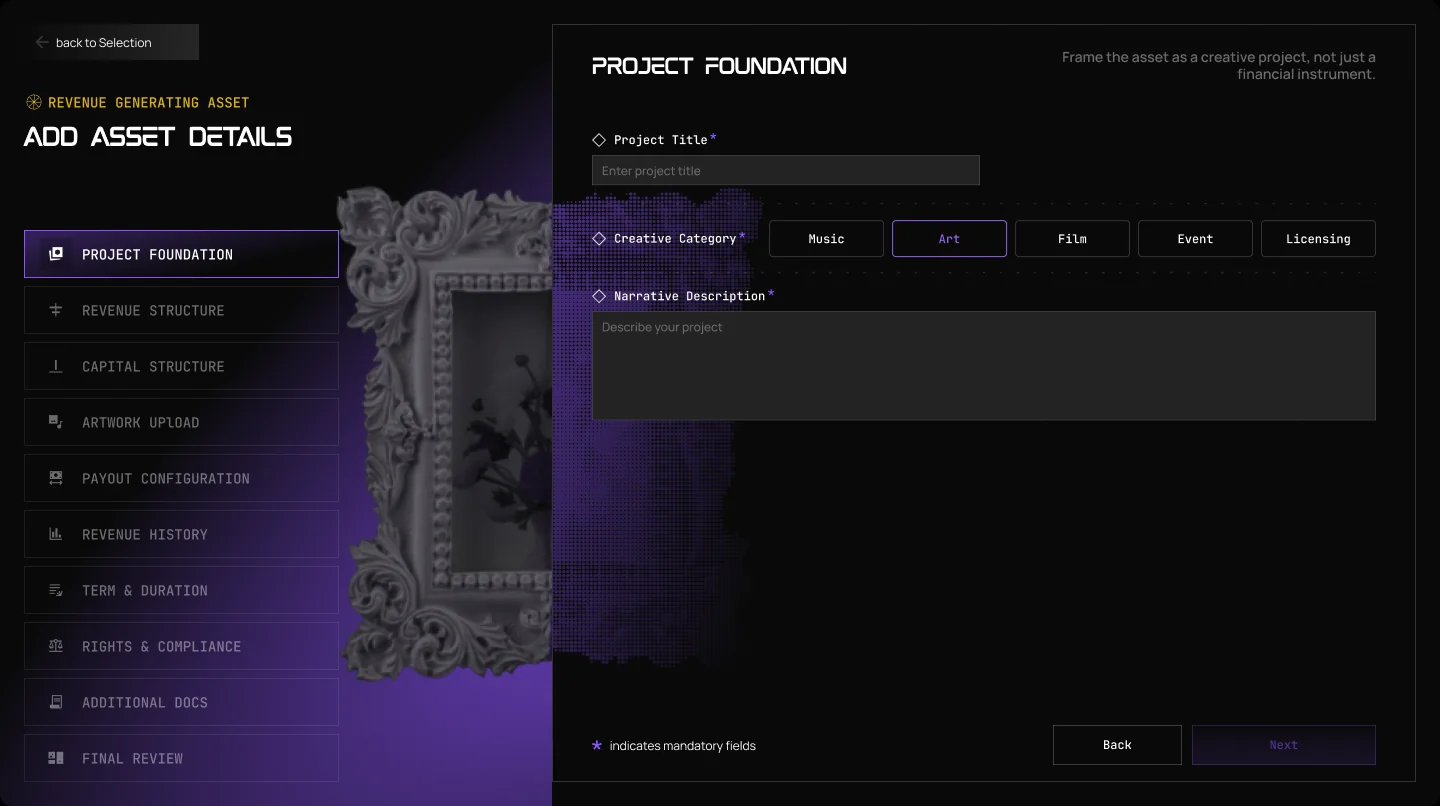
Project Foundation
Name the project, pick its creative category (music, art, film, event or licensing) and tell the story behind it.
Step 02 of 10
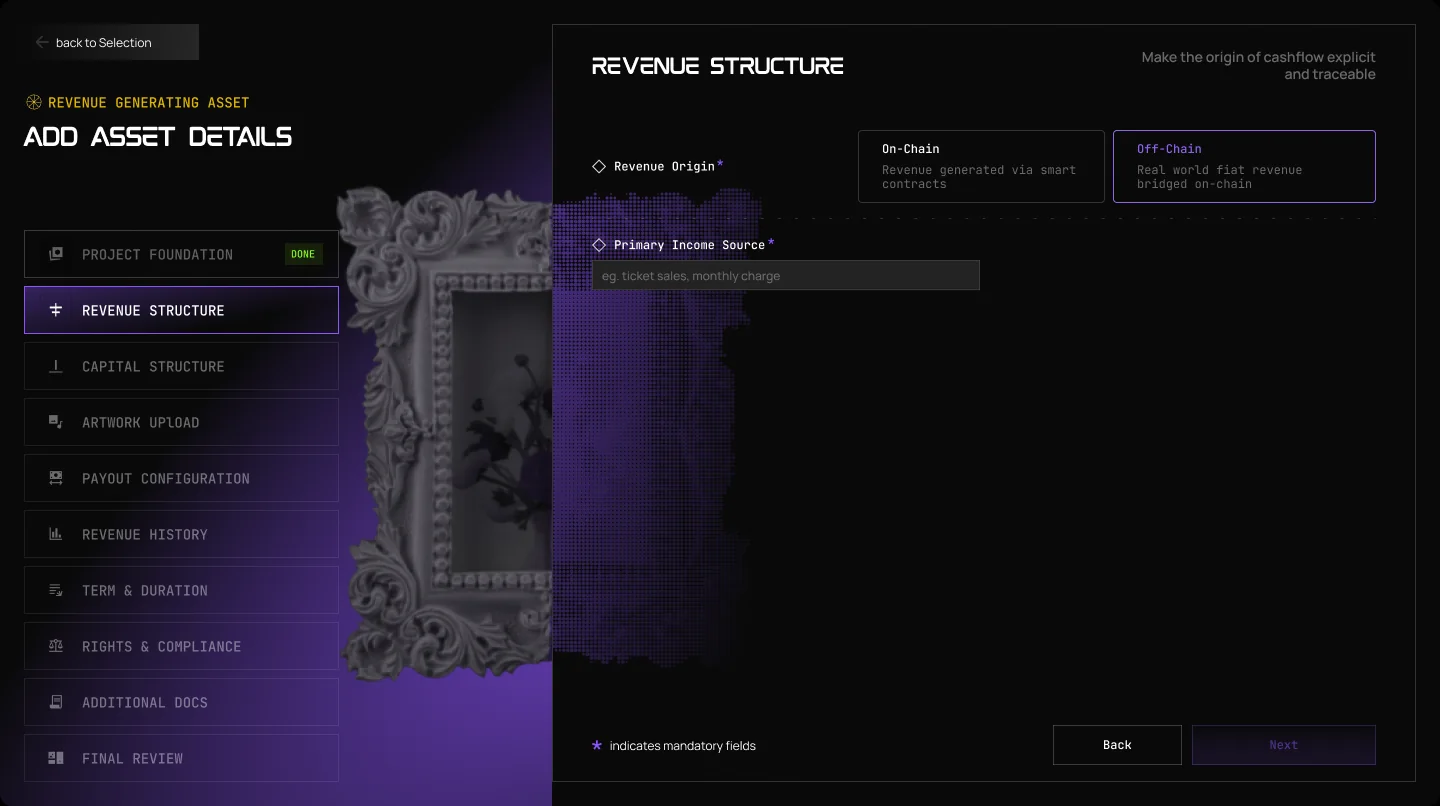
Revenue Structure
Show where the money comes from: revenue earned on-chain, or real-world revenue brought on-chain, and its main source.
Step 03 of 10
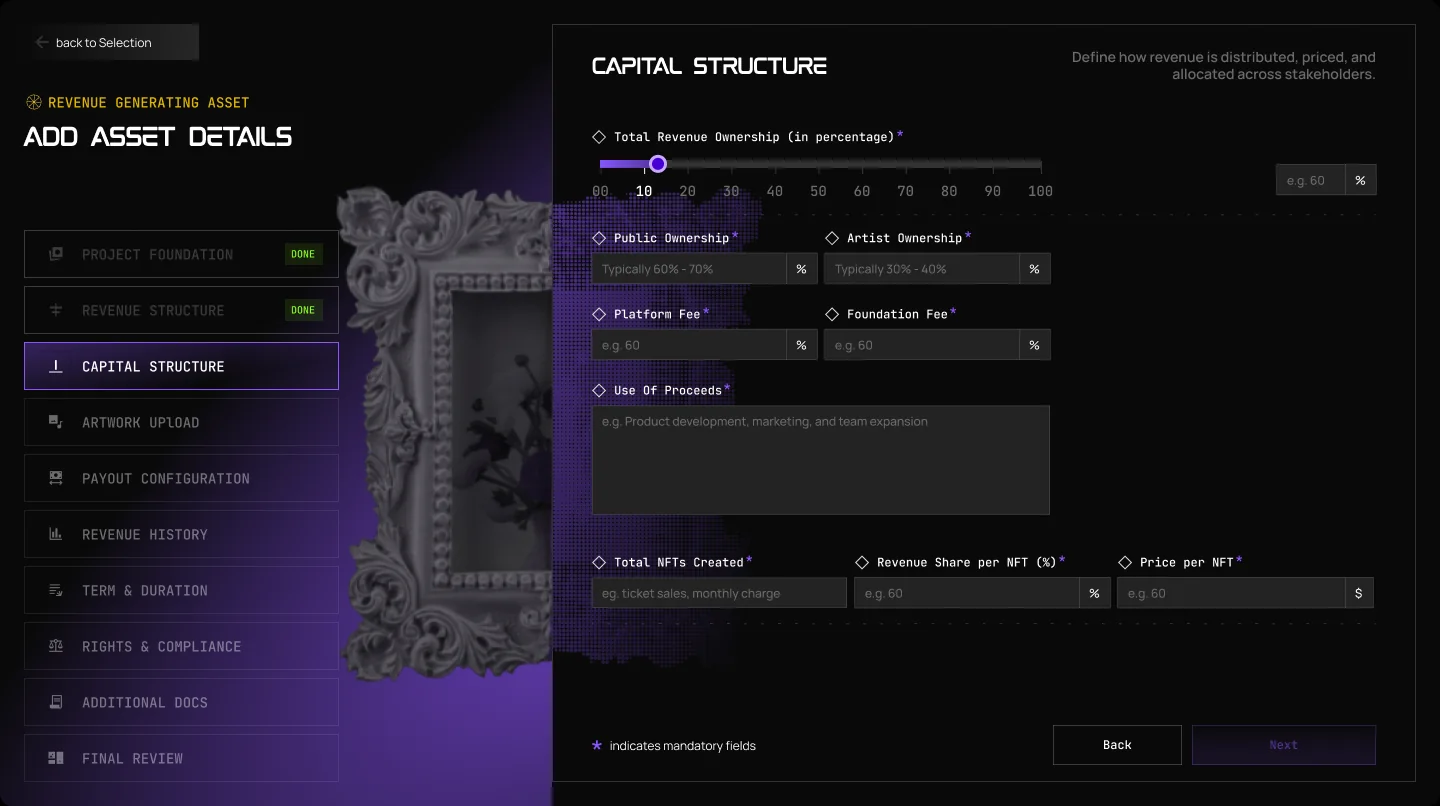
Capital Structure
Set how much of the revenue is shared, the split between the public and the artist, the fees, how many NFTs exist, the share per NFT and the price.
Step 04 of 10
Artwork Upload
Add the image that represents the asset.
Step 05 of 10
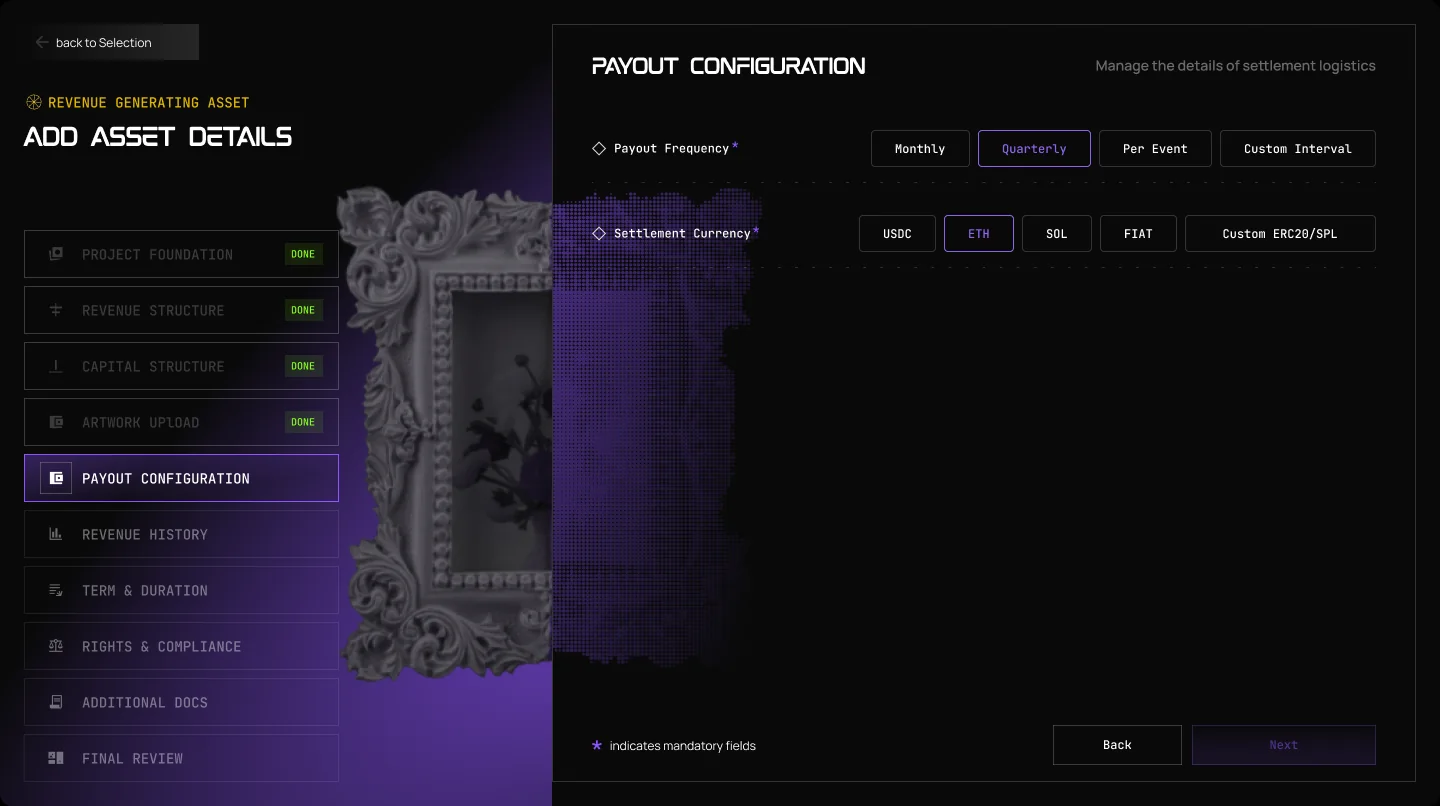
Payout Configuration
Choose how often holders are paid (monthly, quarterly, per event or on a custom interval) and in which currency, such as USDC or SOL.
Step 06 of 10
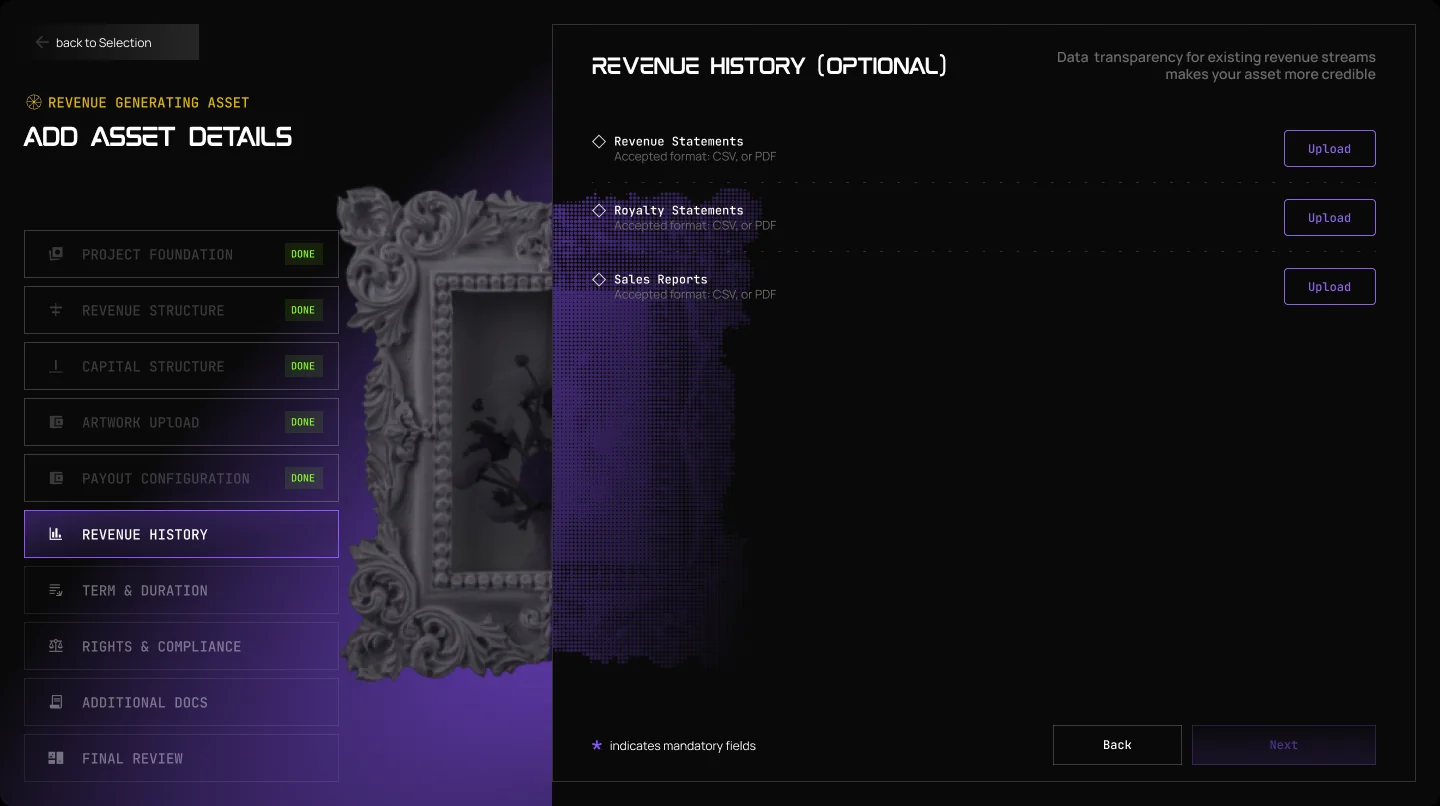
Revenue History
Optional. Upload revenue statements, royalty statements and sales reports. A track record makes the asset more credible.
Step 07 of 10
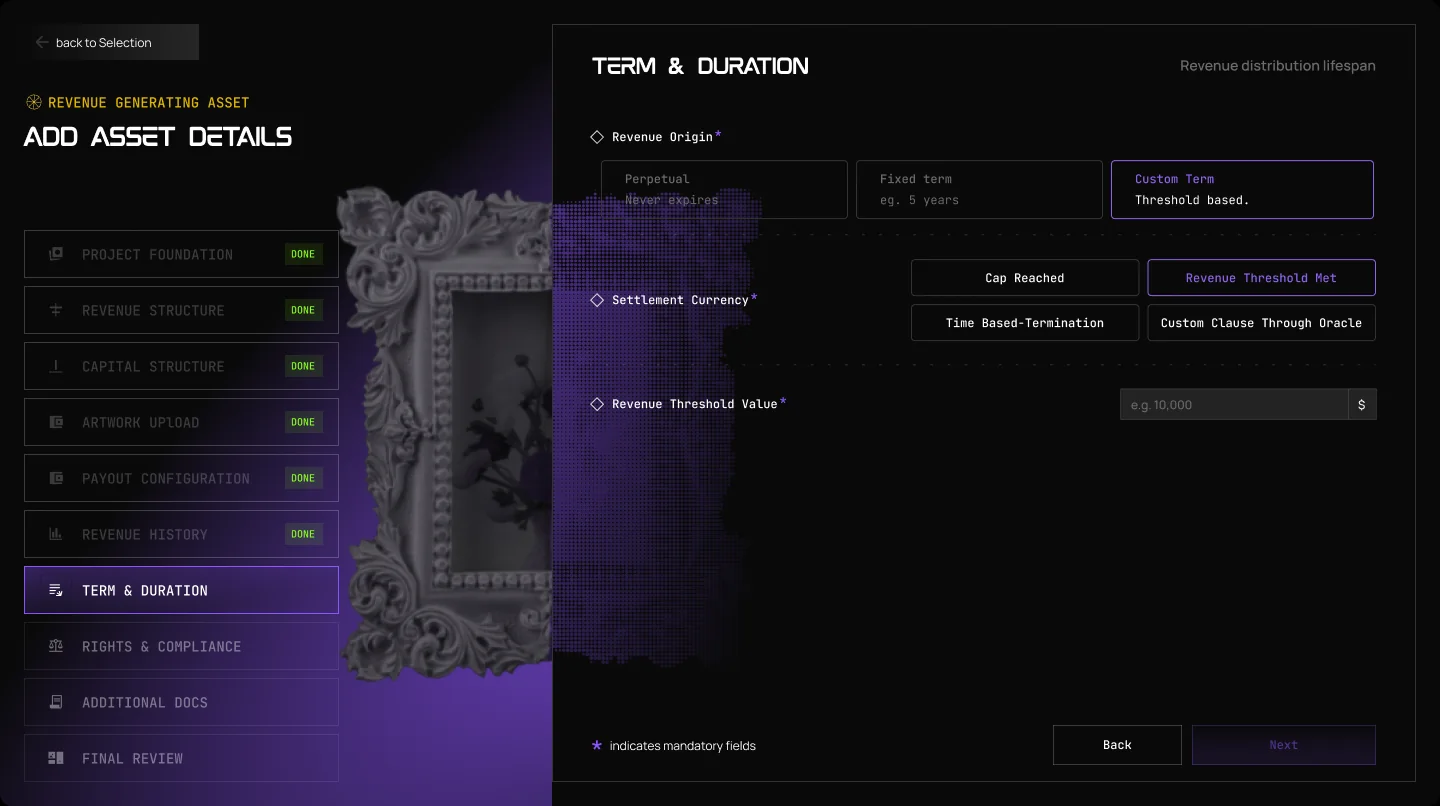
Term & Duration
Decide how long payouts last: for good, for a fixed term, or until a cap or a revenue threshold is reached.
Step 08 of 10
Rights & Compliance
Confirm that you hold the rights, the revenue is legitimate, you accept the terms and the issue follows your local rules.
Step 09 of 10
Additional Docs
Add the legal contract, audit letter, media and third-party verification. They go in the Deal Room, where buyers can read them.
Step 10 of 10
Final Review
Check everything and submit. ARKHIVE reviews the asset before it goes live.
Screens from the ARKHIVE dApp. Other asset classes have their own, shorter forms.
From idea to listing
Five steps
Apply
Tell us about the asset and the value behind it.
Fill in the guided form
The asset, the price, the supply and, for revenue assets, the revenue details.
Add your documents
Contracts, proof of revenue and photos go in the Deal Room, where buyers can read them.
Review
ARKHIVE checks the documents and the terms.
Go live
Your asset is listed. Track sales and payouts in your dashboard.
A café shares 5% of its monthly sales with 1,000 NFT holders.
Example figures. The real share, schedule and term are set in each offering’s agreement.
Your dashboard
Manage everything in one place
Track sales, holders and payouts, update your details and keep your documents together.
What the guided form covers:
- The asset and its description
- Revenue details and history
- Price, supply and capital structure
- Images and media
- Payout schedule
- Term and end date
- Rights and compliance
- Supporting documents
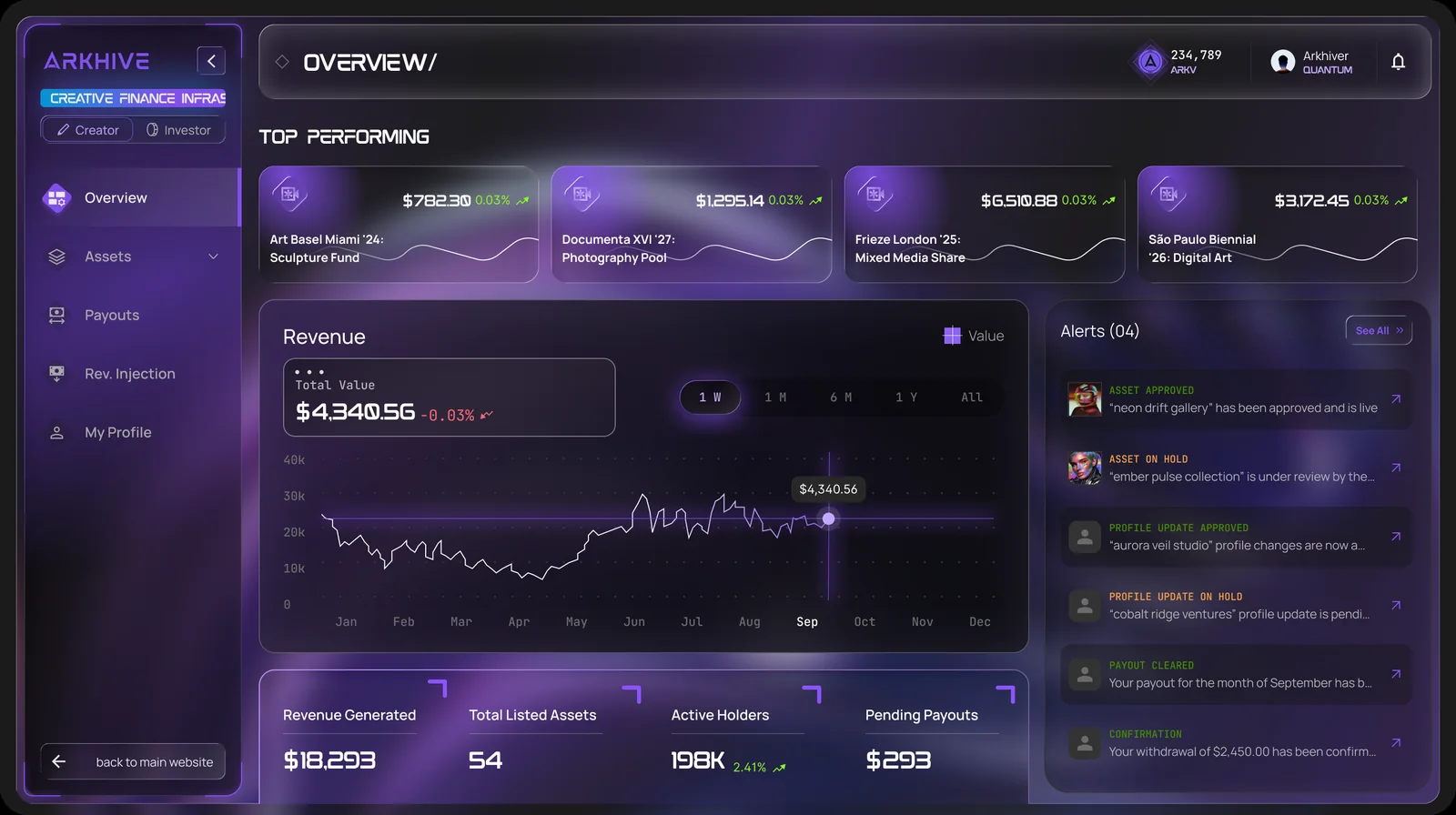
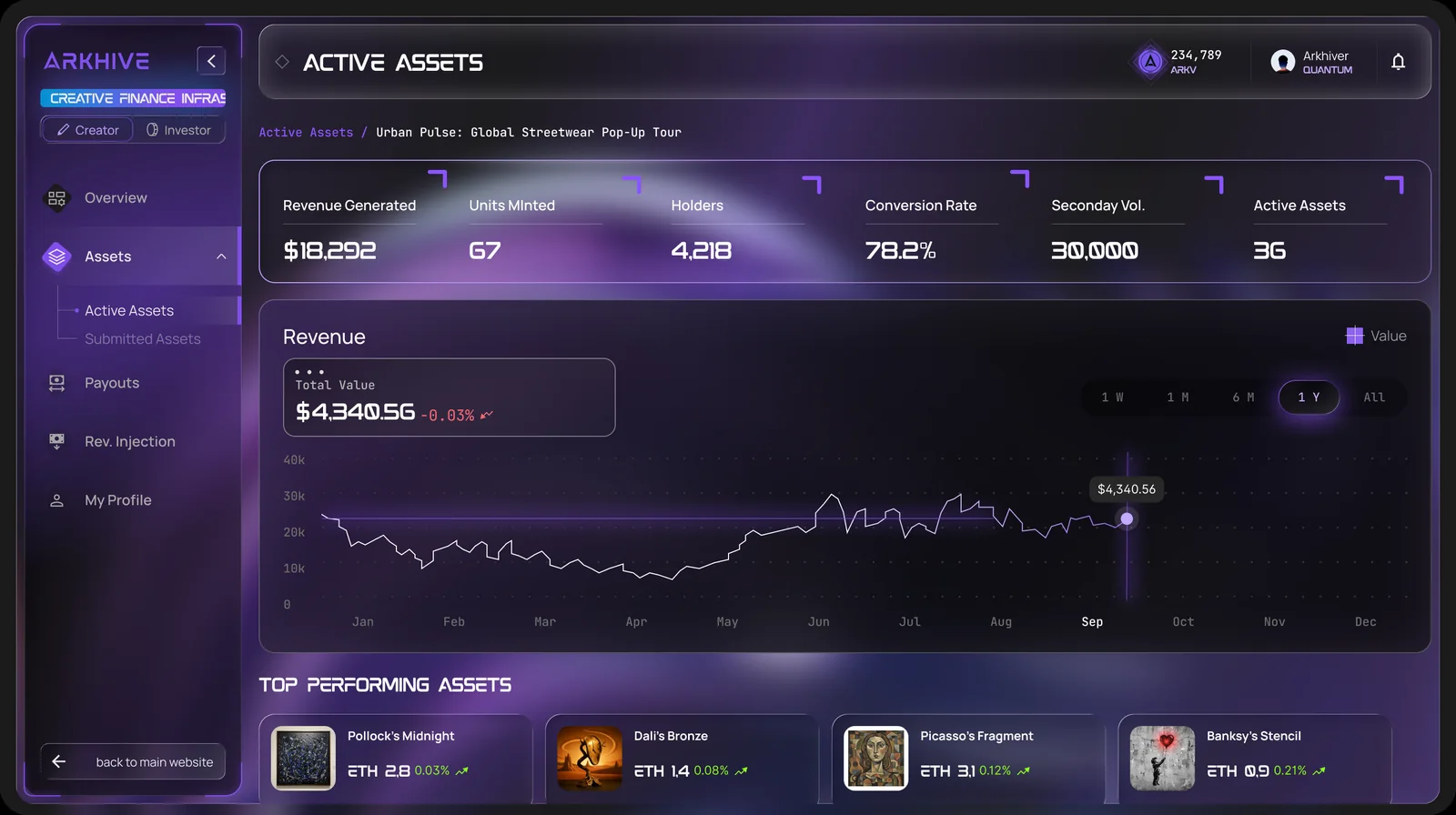
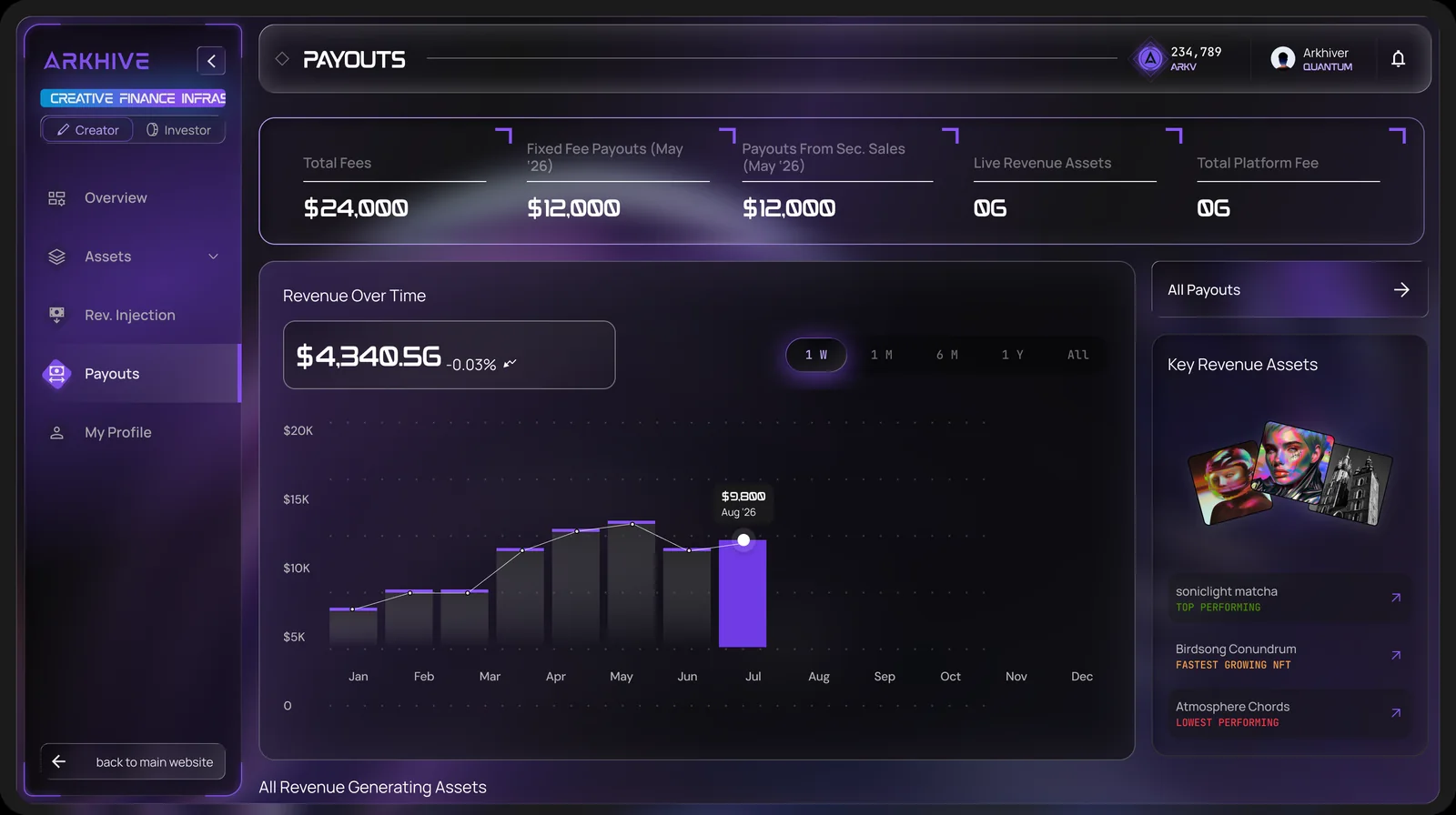
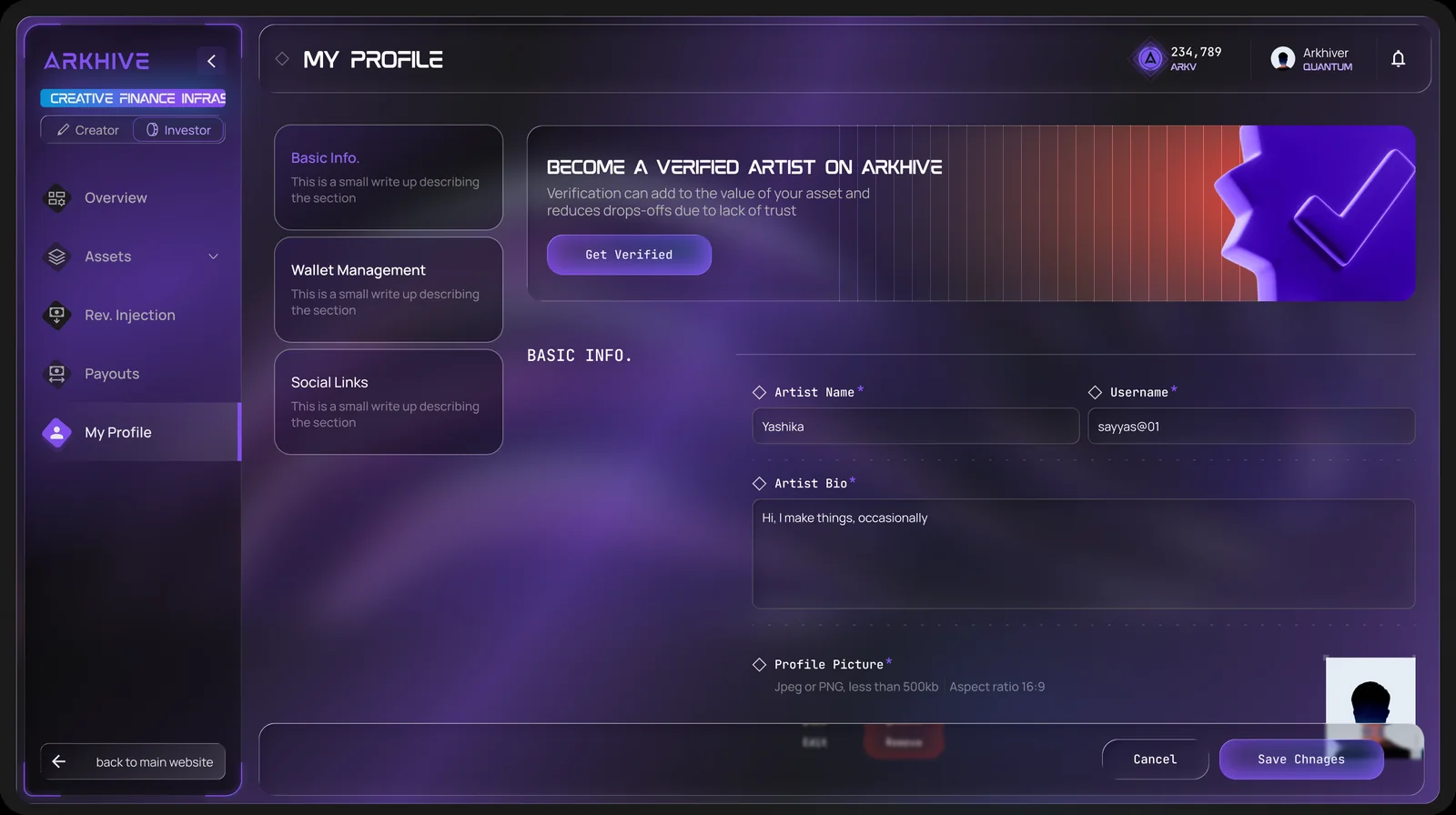
Screens from the ARKHIVE dApp at app.arkv.io. Figures shown are sample data.

Launch with ARKHIVE
Tell us about the asset, the revenue behind it and the audience. Our team guides artists and brands through onboarding and review.